
Edit July 28th 2026: Added the code for /source in the /source section
Why?
If you are a tech nerd like me, who likes to host a service every once in a while in their homelab, sometimes you need to find out what your current public IP is. And if you are like me, you have most likely encountered the following scenario:
It then dawns on you that despite being quite techy, you have no clue how to find your network's public ip. So like the resourceful and intelligent person you are, you go to your search engine of choice and type "how do i find my public ip address", without question mark because you have places to be.
To your joy, several websites appear that claim to solve your very issue! You click on the site at the top of the page (surely the top website must be the best right?). Whatever relief you felt from having your problem solved for you is then pulled away, as you are now faced with a webpage that looks like the following:
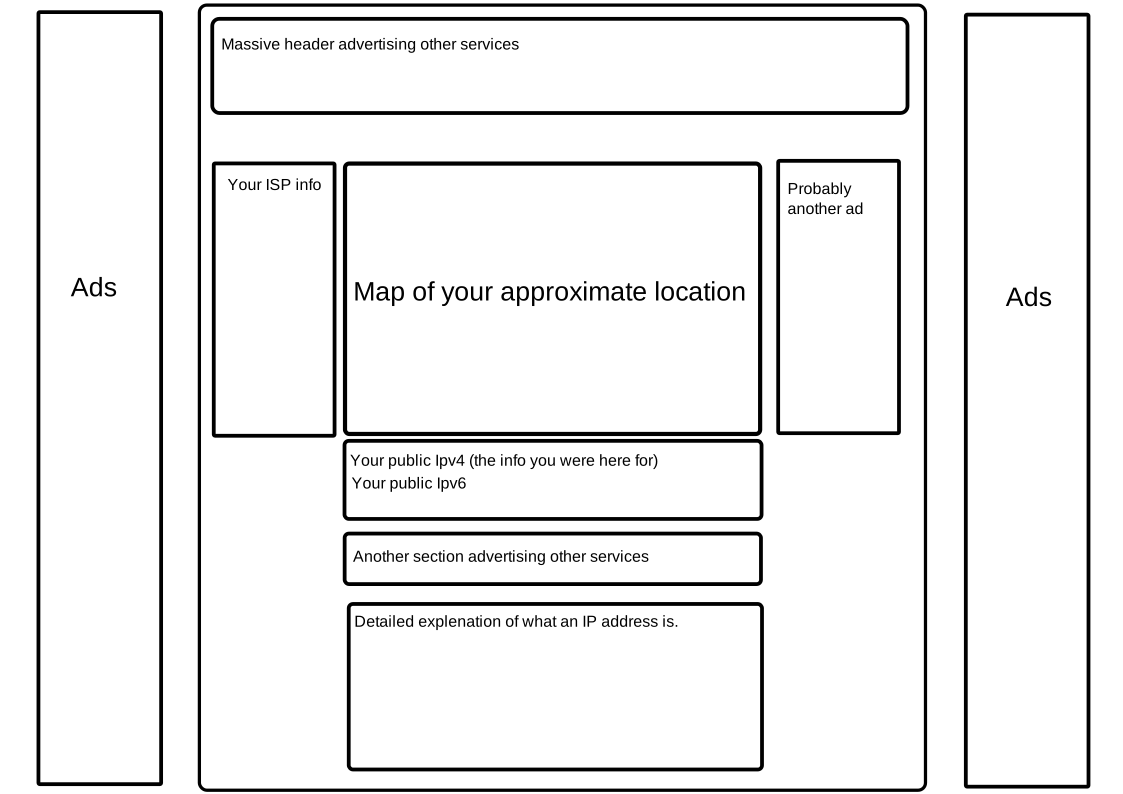
You scour the page quickly, grab your IP, and head out of there. Feeling dirty and invaded from the encounter. Not only was that page way too busy, but who knows how many trackers were on that page?
Well if you have encountered this, fear not! I may have a solution for you!
Introducing: ip.getagripgal.nl!
ip.getagripgal.nl is the simplest possible IP-grabber I could design. In fact it only comes with 3 elements:
- The IP address in an
<h1>. - The link to the
/apipage. - The link to the source code.
api
The api route is simply a way to return the IP address as an undecorated raw string. This allows for integration with other applications! This also makes it curl compatible.
curl -L ip.getagripgal.nl/api # Returns your IP address
source
For the sake of transparency I provide the source code to the service on the website itself. Simply navigate to ip.getagripgal.nl/source and it will return the singe-file source code.
/**
 * The `/source` route.
 * Responds with the source code of the service.
 * @param {express.Request} request The request handler.
 * @param {express.Response} response The response handler.
 */
function routeSource(request, response) {
    const source_path = fileURLToPath(import.meta.url);
    const source = fs.readFileSync(source_path);

    response.set('Content-Type', 'text/javascript');
    response.send(source);
}
Now I should note that this doesn't guarantee that whatever this route returns is also the code being run, and that II'm not pulling some weird shenanigans with nginx, so you should always be cautious about what websites you trust.
How I did it
The service functions very simply. First I setup a proxy using nginx. I then configured nginx to forward the IP address as a header labelled x-real-ip to every request that passes through.
I did this by adding the following line to my config:
proxy_set_header X-Real-IP $remote_addr;
Then I setup the service as an node + express.js application. Here the service reads out this header, and uses the x-forwarder-for and remoteAddress of the socket as a fallback.
/**
 * Get the ip address of a client.
 * This requires the app to be deployed behind an nginx proxy.
 * @param {express.Request} request The clients request
 * @returns {string} The ip address.
 */
function getIPAddress(request) {
    return request.headers["x-real-ip"]
        || request.headers['x-forwarded-for']
        || request.socket.remoteAddress;
}
Then it simply constructs the main page and returns it to the browser.
/**
 * The index route.
 * Responds with the ip and a link to the api and source route.
 * @param {express.Request} request The request handler.
 * @param {express.Response} response The response handler.
 */
function routeIndex(request, response) {
    const html_response = `
    <h1>${getIPAddress(request)}</h1>
    <a href="/api">api</a>
    <a href="/source">source</a>
    `;
    response.send(html_response);
}
Then I hosted this on a small FreeBSD VM.
Is there a better way?
A better way than pinging an external service? I suppose there is. You could log into your router panel and find it there. But that way is inconsistent as router panels are different across devices and manufacturers.
The most convenient way then is to ping an external service like mine. Of course I am far from the first person to do this. There are plenty of services that simply return your public ip and do nothing else.
If you want a more standard way you could always ping ifconfig.me.
curl ifconfig.me # Returns your IP exactly like my service does.
However this project certainly gives me the peace of mind knowing that I have full control of this method, and I wont be tracked by some external entity.